Realtime & replay
Stream live data, aggregate ticks into bars, and replay historical data at controlled speed.
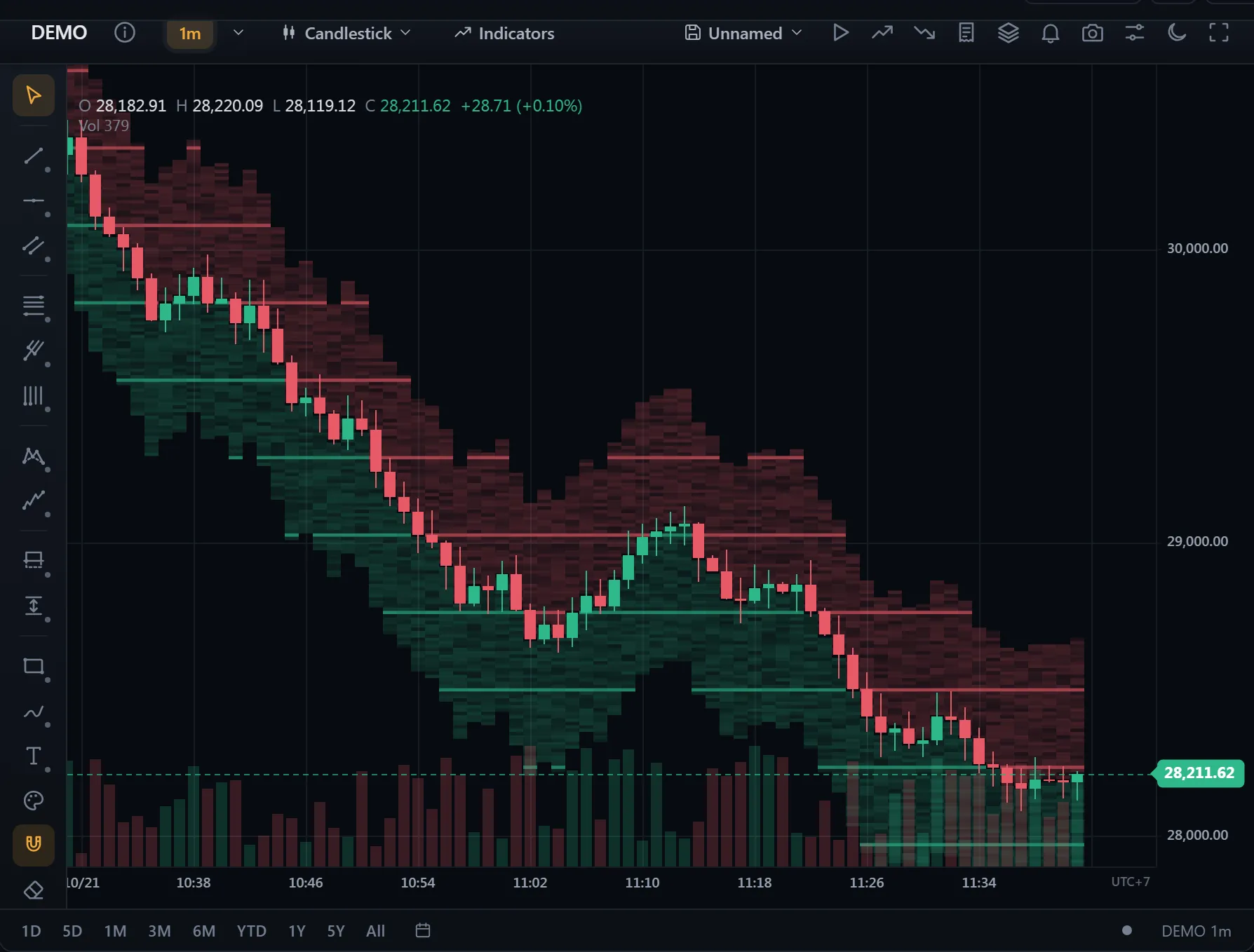 ● DemosLiquidity heatmapSimulated market data, generated in your browser
Built-in adapters
All free, no API key — connect any of them the same way:
import { BinanceAdapter, CoinbaseAdapter, BybitAdapter, KrakenAdapter } from '@tradecanvas/chart'

chart.connect({ adapter: new BinanceAdapter(),  symbol: 'BTCUSDT', timeframe: '1m' })
chart.connect({ adapter: new BybitAdapter(),    symbol: 'BTCUSDT', timeframe: '1m' })
chart.connect({ adapter: new KrakenAdapter(),   symbol: 'BTC/USD', timeframe: '5m' })
chart.connect({ adapter: new CoinbaseAdapter(), symbol: 'BTC-USD', timeframe: '15m' })
DataAdapter interface
interface DataAdapter {
  name: string
  connect(config): void
  disconnect(): void
  getConnectionState(): ConnectionState
  fetchHistory(symbol, timeframe, limit?): Promise<OHLCBar[]>
  on(event, listener): void   // 'bar' | 'tick' | 'snapshot' | 'connectionChange' | 'error' | 'symbolInfo'
  off(event, listener): void
  dispose(): void

  // Optional
  fetchHistoryBefore?(symbol, timeframe, before, limit): Promise<OHLCBar[]>
  searchSymbols?(query, options?): Promise<SymbolInfo[]>
  resolveSymbol?(symbol): Promise<SymbolInfo | null>
  subscribeQuotes?(symbols, onQuotes): () => void      // a watchlist's rows
  fetchNews?(symbol, limit?): Promise<NewsItem[]>       // the symbol info panel
  fetchTrades?(symbol, limit?): Promise<Trade[]>        // tick charts, with
  subscribeTrades?(symbol, onTrades): () => void        // subscribeTrades
}
Symbol details the feed learns later
A connected chart asks resolveSymbol once. A feed that learns the symbol's details only later (on its first message, say) sends them with a symbolInfo event, and the chart applies them: the price scale, legend and tags in the symbol's decimals (pricePrecision), the scale's ticks on its price step (minTick), the exchange's hours.
emit('symbolInfo', { symbol: 'VNM', pricePrecision: 0, minTick: 10, currency: 'VND' }) // as your adapter sends its other eventsAny feed in ~20 lines
Extend WebSocketAdapter (live + REST history) or PollingAdapter (REST-only feeds). The base handles the connection lifecycle, reconnect, decoding, and
event emission — you supply a URL and a parse function.
import { WebSocketAdapter } from '@tradecanvas/chart'

const myAdapter = new WebSocketAdapter({
  name: 'myexchange',
  wsUrl: (c) => 'wss://api.myexchange.com/ws/' + c.symbol + '@kline_' + c.timeframe,
  fetchHistory: (symbol, tf, limit) => fetch('/candles?...').then((r) => r.json()),
  parseMessage: (raw) => ({ bar: toBar(raw), closed: raw.k.x }),
})
Tick aggregation
Roll raw ticks into OHLC bars per timeframe:
import { TickAggregator } from '@tradecanvas/chart'

const agg = new TickAggregator('1m')
agg.processTick({ time, price, volume })

const current = agg.getCurrentBar()         // forming bar
const closed = agg.flushClosedBars()        // bars that have rolled over
Quotes for many symbols
A feed with subscribeQuotes sends quotes (last price, the day's change, high, low,
volume, bid and ask) for many symbols at once until you stop it. BinanceAdapter sends
a 24 h snapshot, then its mini-ticker stream; MockAdapter makes quotes up. A widget's
watchlist fills its rows from it.
const stop = new BinanceAdapter().subscribeQuotes(['BTCUSDT', 'ETHUSDT'], (quotes) => {
  for (const q of quotes) console.log(q.symbol, q.last, q.changePercent)
})
stop()

readQuote({ symbol: 'AAPL', last: 190, prevClose: 188 })   // → change 2, changePercent 1.06
Tick charts
A tick timeframe — '100T' — draws a bar per 100 trades. It is built from a feed's
trades: its recent ones for the history (fetchTrades), then its live ones
(subscribeTrades). BinanceAdapter streams aggregate trades. A tick chart
has no countdown and pages in no older history; a feed without trades refuses tick timeframes.
Tick bars are not evenly spaced in time, so the time axis and the crosshair give times only to
bars, not to the empty space beside them.
chart.connect({ adapter: new BinanceAdapter(), symbol: 'BTCUSDT', timeframe: '100T' })
await chart.setTimeframe('500T')

// Your own trades into tick bars
const builder = new TickBarBuilder(100)
builder.push([{ time, price, volume }])   // → [{ bar, closed }]
Market status and news
marketStatus(info, now) tells whether a symbol's market is open at a moment, from its
hours in its exchange's zone (clock changes included), and when that changes. Sessions can name the
weekdays they open on. A feed's fetchNews gives headlines for the widget's symbol info
panel; readNews keeps only items with a title and a time, and links to web pages.
const info = {
  symbol: 'AAPL',
  timezone: 'America/New_York',
  sessions: [{ start: '09:30', end: '16:00', days: [1, 2, 3, 4, 5] }],
}
marketStatus(info, Date.now())   // { state: 'closed', next: <next open, ms> } · 'open' · 'always' (24/7)
Reconnect
ReconnectManager handles exponential backoff with a cap and a final give-up.
import { ReconnectManager } from '@tradecanvas/chart'

const rm = new ReconnectManager({ maxRetries: 6, baseDelay: 500, maxDelay: 30_000 })

rm.start()
rm.schedule(() => connectWebsocket())   // call on disconnect; backs off automatically
rm.onConnected()                        // call on a successful connect to reset
Replay mode
Drive a historical DataSeries forward at controlled speed.
Decoupled from Chart so it can power both UI replay and headless
backtests.
import { ReplayController } from '@tradecanvas/chart'

const replay = new ReplayController({
  data: historicalBars,
  speed: 10,      // bars per second
  startIndex: 0,
})

// Seed the chart with everything before startIndex
chart.setData(replay.getPrefix())

// Wire each emitted bar into the chart
replay.on('bar', ({ bar }) => chart.appendBar(bar))
replay.on('finished', () => console.log('done'))

replay.start()
// replay.pause(); replay.resume(); replay.step(5); replay.seek(200); replay.setSpeed(20)
In the widget's replay mode, click any revealed bar to jump the replay
cursor there. More generally, the chart now emits click and barClick events for plain left-clicks (press and release
without dragging):
chart.on('barClick', (e) => {
  const { bar, barIndex, point } = e.payload
})
Replay on the chart, in finer steps
chart.replayStart() replays the chart's own series. Give it finer bars as steps (5-minute bars under an hourly chart) and each step grows the
forming bar from them, as it grew in the market; closed bars show as they are in the
series. startIndex and replaySeekToBar count the chart's bars.
In ChartWidget, the replay bar's Step menu offers the finer intervals the
feed has (or that the bars you loaded can build).
const steps = await adapter.fetchHistory('BTCUSDT', '5m', 2000)
chart.replayStart({ steps, startIndex: 120, paused: true, speed: 5 })
chart.replayResume()
chart.getReplayBarIndex()      // the chart bar forming now
chart.replaySeekToBar(150)     // to the end of bar 150
chart.replaySeekToTime(t)      // to the bars that opened before t
chart.on('replayStep', (e) => e.payload)    // { barIndex, time, until, total }
chart.on('replayComplete', (e) => e.payload) // { barIndex, time }
chart.on('replayState', (e) => e.payload)   // { state: 'playing' | 'paused' | 'stopped' }
chart.replayStop()             // back to the live series
A replay in your own app
Buy and sell marks and trade zones show as the replay reaches them: a mark once its bar is shown, a trade once entered, drawn open until its exit is reached (revealMarks: false, ChartWidget: replayRevealMarks: false shows them all). startTime starts at a time instead of a bar; hideHistory leaves the bars before the start out until the replay stops; duration plays to the end in about that long however many bars there are, several bars a frame, and a late frame slows it rather than skip ahead.
chart.setSignalMarkers(signals)          // the whole backtest, kept
chart.setTradeZones(trades)
chart.replayStart({
  startTime: Date.now() - 30 * 86_400_000,   // the last 30 days
  hideHistory: true,                          // only them on the chart
  duration: 3500,                             // in about 3.5 s
})
chart.on('replayComplete', () => chart.replayStop())   // then the whole series again
chart.replayStart({ startIndex: 100, revealMarks: false })   // every mark from the start
Paper trading in a replay
An execution adapter with setMarkPrice(price, time) (as PaperExecutionAdapter has) trades on the replay: during a replay the chart
hands it each replayed price and time, so orders and stops fill as the replay passes
them and fills land on the replayed bars. Each step's low and high count, and a jump
ahead passes every step on the way. It only goes forward: after a seek back it waits
until the replay is past the furthest point it has seen. The live price doesn't move
it meanwhile; when the replay ends it goes back to the live price, and fills to the
clock. Price alerts keep watching the live market throughout; alerts on indicator
lines wait for the replay to end.
chart.connectExecution(new PaperExecutionAdapter())
chart.replayStart({ startIndex: 300, paused: true })
// place orders from the chart or the order ticket, then play
API
| Method | Purpose |
|---|---|
start() | Begin emitting from current index. |
pause() / resume() | Pause/continue timer. |
step(n) | Emit N bars synchronously without the timer. |
seek(index) | Jump without emitting in-between bars. |
setSpeed(bps) | Bars per second (clamped to >= 0.01). |
destroy() | Clear timer + listeners. |
See Analytics for using replay alongside the backtester.