Embeddable widget
Drop a fully configured trading chart into any page via a single <iframe> URL. No npm install, no build step.
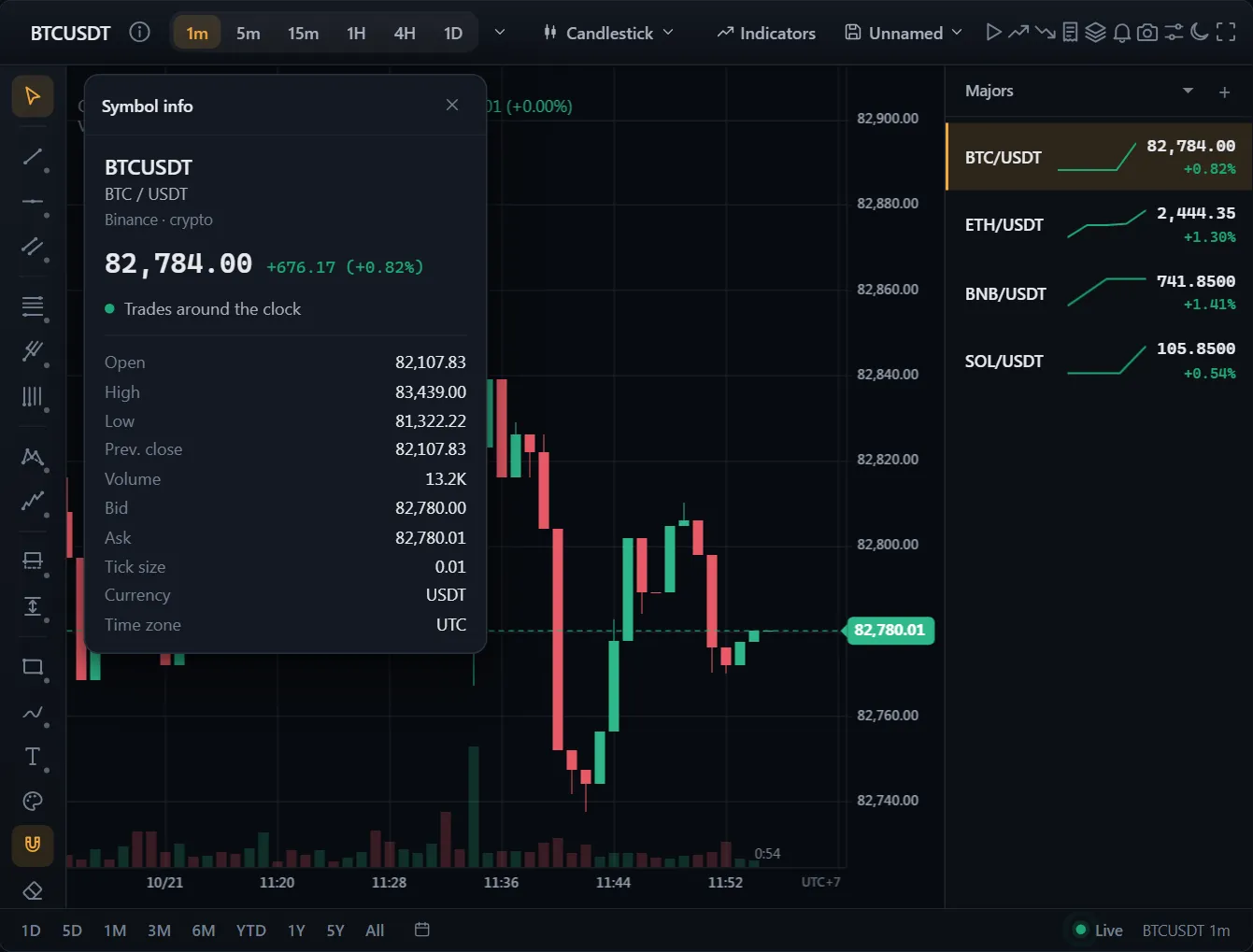 ● DemosWatchlists and symbol detailsSimulated market data, generated in your browser
Basic iframe
<iframe
  src="https://your-site/tradecanvas/embed/?symbol=BTCUSDT&timeframe=5m&theme=dark"
  width="800"
  height="500"
  style="border: 0; border-radius: 12px;"
></iframe>
URL parameters
| Param | Default | Notes |
|---|---|---|
symbol | BTCUSDT | Binance symbol. |
timeframe | 5m | 1m, 5m, 15m, 1h, 4h, 1d. |
theme | dark | dark, light, darkTerminal. |
chartType | candlestick | Any of the 18 types. |
indicators | none | Comma-separated ids, e.g. indicators=sma,rsi. |
trading | false | Show the trading panel. |
In a phone app
The chart and the widget run in any WebView: React Native (react-native-webview), Capacitor, Tauri, a native app's own. Below 641 px wide the widget lays itself out for a phone: the toolbar keeps the symbol, the interval, the chart type and the indicators and puts the rest under “more”; the drawing tools wait behind a button over the chart; menus open as sheets from the bottom; a grid shows one chart at a time, with a tab for each. Wider, a toolbar that doesn't fit does the same. A finger does what a mouse does.
Give the page a viewport that covers the screen. The widget keeps its sheets clear of the notch and the home bar, and above the on-screen keyboard.
<meta name="viewport" content="width=device-width, initial-scale=1, viewport-fit=cover">Most WebViews report the page hidden when the app goes to the background: the chart then stops drawing by itself (pauseWhenHidden), and a stream silent too long reconnects when the app comes back. Where yours doesn't, pause it from the app.
// React Native (react-native-webview): the app tells the page
AppState.addEventListener('change', (state) => {
  webview.current?.injectJavaScript(state === 'active' ? 'chart.resume(); true;' : 'chart.suspend(); true;');
});

// Capacitor
import { App } from '@capacitor/app';
App.addListener('appStateChange', ({ isActive }) => (isActive ? chart.resume() : chart.suspend()));
A chart inside a screen that scrolls leaves vertical swipes to the screen.
new Chart(host, { pageScroll: true }) // a chart in a screen that scrollsTauri's content security policy must let the page reach the data feed's hosts.
// tauri.conf.json (Tauri 2): let the page reach the feed
"app": {
  "security": {
    "csp": "default-src 'self'; connect-src 'self' https://api.binance.com wss://stream.binance.com:9443"
  }
}
The chart draws at a pixel ratio of 2 at most (maxPixelRatio); destroy it (chart.destroy()) when its screen closes, and its canvas memory goes back at once.
Live page
Visit the embed route directly to preview without the docs chrome.